


Answer Business Calls
Configure greetings, availability, and business FAQs for incoming callers.

AI Receptionist & Appointment Handling
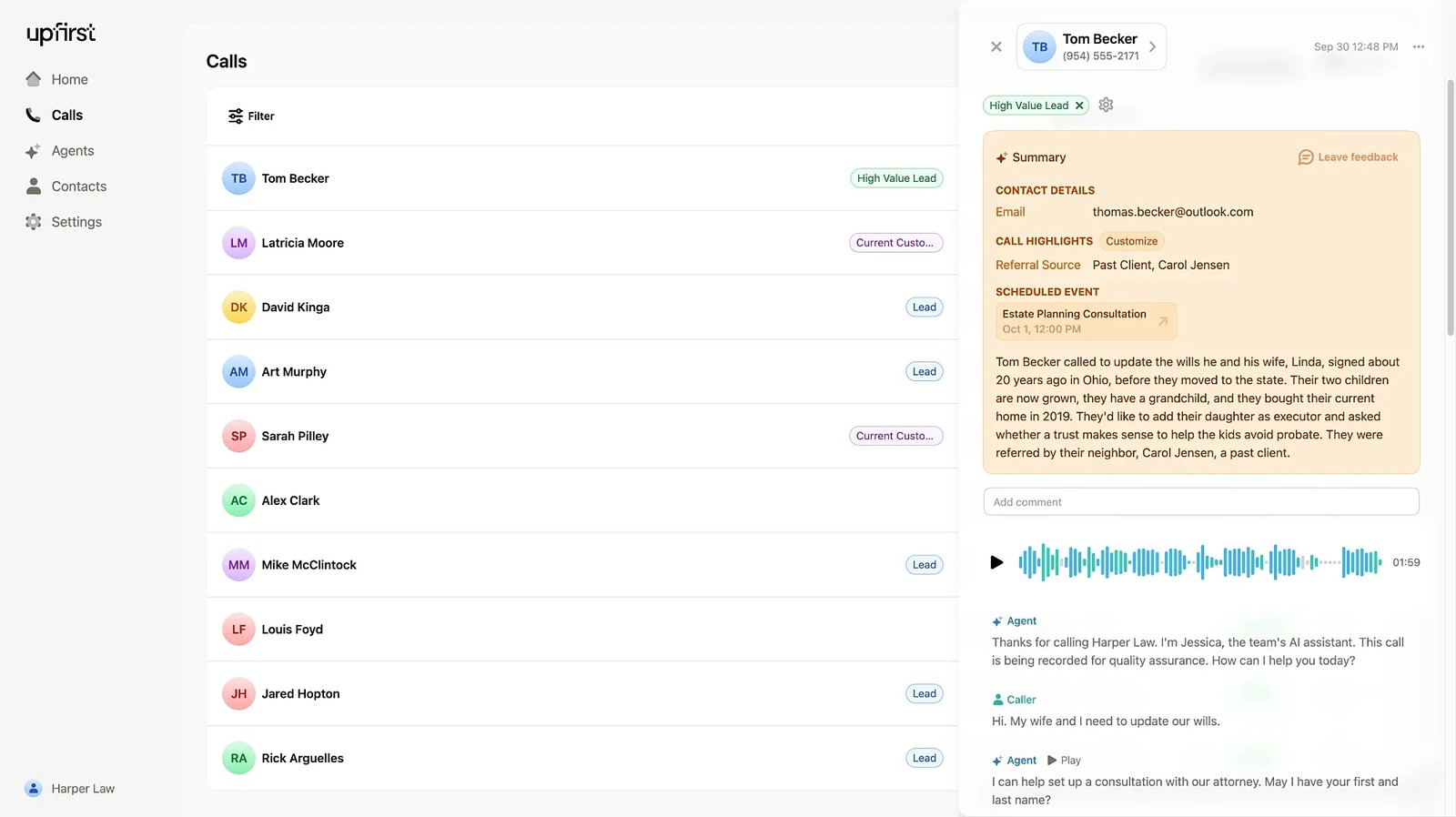
Upfirst answers business calls, uses your business information to handle questions, captures caller details, books appointments, and transfers conversations to staff when needed.
Small businesses handling incoming calls
Receptionist calls, booking, lead capture, staff handoffs
Monthly plans from $24.95
Web dashboard; business phone calls
You configure a receptionist with your hours, services, questions, and preferred voice, then forward your existing number or discuss number porting. It can cover all calls, overflow, or after-hours needs.
Upfirst offers calendar booking, text links, warm transfers, summaries, transcripts, and recordings. Its integration options include Zapier and developer actions; supported calendar and business-system behavior depends on the connection you configure.
Here are some of the most common ways people use Upfirst.
Configure greetings, availability, and business FAQs for incoming callers.
Choose the contact information and questions your receptionist gathers.
Use supported calendars including Google Calendar, Outlook, Acuity, and Clio.
Text scheduling links, directions, menus, or other configured information.
Route callers to a person or department with warm handoff options.
Read summaries and transcripts or listen to available call recordings.
Use caller recognition and contact-specific instructions for returning customers.
Send information through Zapier and supported developer integration options.
A 14-day trial is offered without a credit card. Monthly Starter is $24.95 for 30 calls, Premium $59.95 for 90, Pro $159.95 for 300, and Scale $299.95 for 600. Annual billing has different rates and allowances.
Monthly overages are $1.50, $1, $0.75, or $0.70 per call respectively. Spam and qualifying short or silent calls are excluded. Additional agents have separate charges; confirm annual usage pooling before choosing annual billing.
AI receptionists and website agents for bookings and business enquiries.
View Tool
Phone answering, text conversations and call control for small businesses
View Tool
ZenOp answers forwarded business calls, books Google Calendar appointments, captures leads, and turns calls into summaries and configured SMS follow-ups.
View ToolIt is an AI phone receptionist for questions, lead details, appointment booking, and transfers.
It offers a 14-day trial without a credit card. Ongoing business phone service uses paid plans.
Yes. Forwarding your existing number is supported, and the vendor also describes porting options.
Yes. It supports connected calendars including Google Calendar, Outlook, Acuity, and Clio.
Eligible customer calls count. Upfirst excludes spam and calls under 15 seconds or where nobody speaks, according to its published usage information.