


Record Your Screen
Capture your screen and webcam for demonstrations and updates.

AI Screen Recorder & Knowledge Library
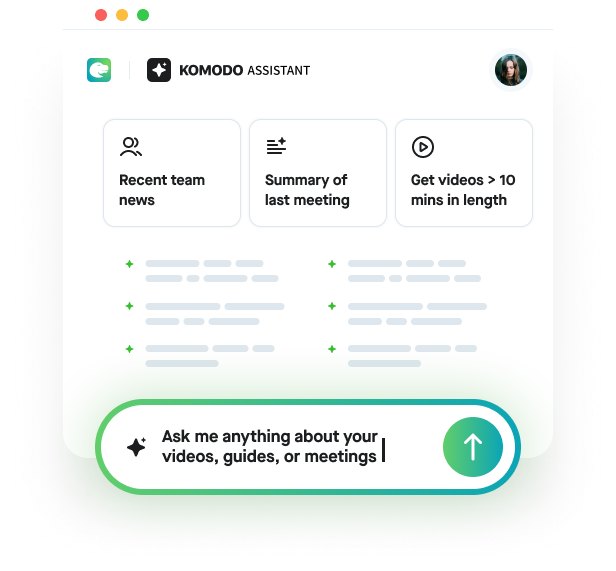
Kommodo records screens and meetings, then turns the recordings into transcripts, summaries and step-by-step guides. Its AI assistant helps teams search and ask questions across their video library.
Teams documenting their work
Recordings, meeting notes, SOPs, video search
Free plan; Premium from $9/month annually
Web, Chrome, Windows, macOS, iOS & Android
Kommodo combines screen and webcam recording with meeting capture, video sharing and AI documentation. Record a process or conversation, then use the transcript and summary to make it easier to revisit.
The library also supports guides, video editing and pages that combine recordings with other resources. Paid plans expand recording limits, AI access and team collaboration; the free tier has smaller video and guide allowances.
Here are some of the most common ways people use Kommodo.
Capture your screen and webcam for demonstrations and updates.
Connect Google Calendar and keep meeting recordings with other work videos.
Create AI transcripts, summaries, chapters and action items.
Convert process recordings into step-by-step guides, subject to plan limits.
Ask the AI assistant questions about indexed videos and guides.
Use transcript-based editing and share videos or resource pages.
Starter is free for one user with 15 videos. Premium is $15 per user/month on monthly billing or $9 per user/month billed annually ($108/year).
Starter guides have a 10-step limit; the comparison lists three free video-to-guide conversions and 10 videos indexed for AI search. Advanced sharing, editing and team features depend on the plan.

Trupeer transforms screen captures into narrated walkthrough videos and step-by-step documents.
View Tool
Sludge AI helps creators build short-form video workflows using clip sourcing, editing tools, reusable templates and automated posting agents.
View Tool
Smartshort turns an idea, script or uploaded audio into a short video with visuals, narration and captions.
View ToolA screen and meeting recorder with AI transcription, summaries, documentation and video-library search.
Yes. Starter includes one user and 15 recordings, with no recording time limit advertised.
Yes. It creates step-by-step guides from process recordings; free usage has conversion and step limits.
The AI assistant searches indexed videos and guides. Starter indexes up to 10 videos; Premium lists unlimited indexing.
Kommodo offers browser access, a Chrome extension, desktop apps for Windows and macOS, and mobile apps for iOS and Android.