


Use Website Context
Provide an appropriate business website to guide the initial content brief.

Brand-Based Social Posts & Scheduling
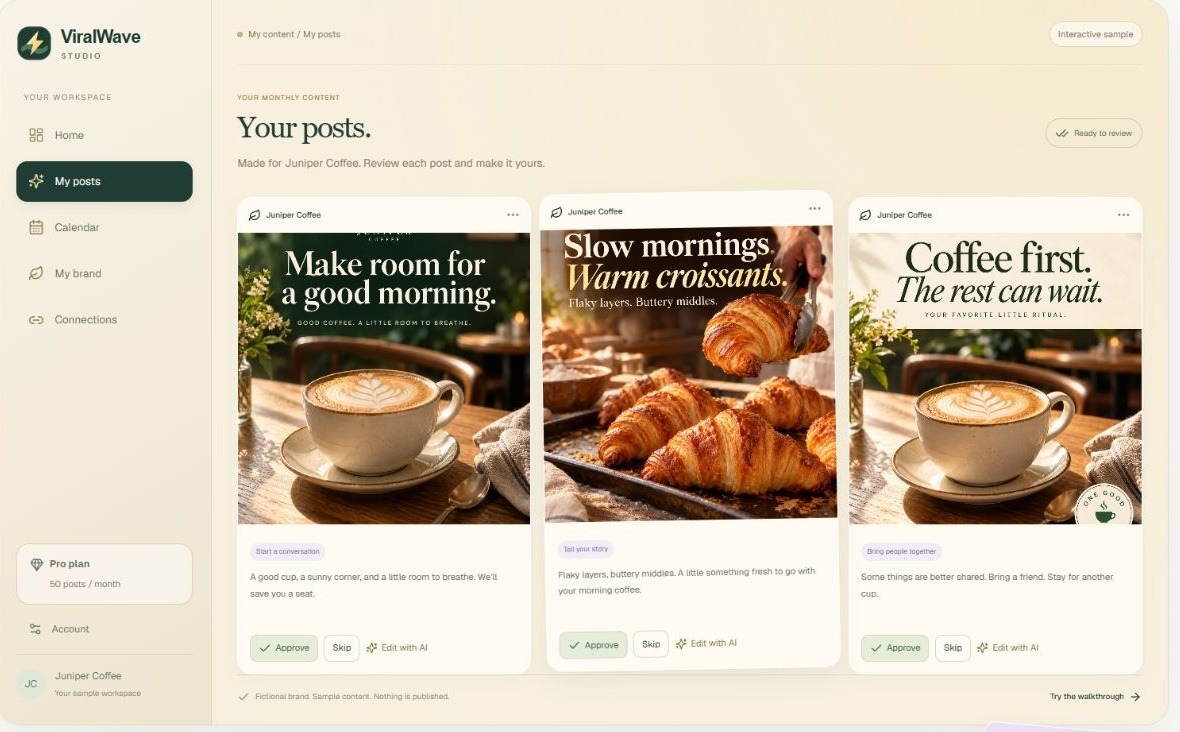
ViralWave Studio turns a business website into a batch of social post ideas, captions, and images. Review the content, refine the brand voice, and schedule approved posts through supported connections.
Small businesses planning social content
Post batches, images, brand voice, scheduling
Preview free; Starter $15/month
Web
Start with a business website so the service can develop a working picture of the audience, tone, and brand. It then prepares a monthly batch of captions and images for review.
The current offering focuses on social posts, with public solution pages for Facebook, LinkedIn, Threads, and Pinterest. Connected scheduling requires account authorization; illustrative social examples do not prove every channel is supported.
Here are some of the most common ways people use ViralWave Studio.
Provide an appropriate business website to guide the initial content brief.
Review the proposed audience, tone, and brand information.
Generate captions and image concepts within the monthly allowance.
Approve, skip, or refine a post before scheduling it.
Use the writing workflow to adjust the wording of a draft.
Use the plan’s replacement allowance for alternative visuals.
Arrange reviewed content through the advertised scheduling workflow.
Use supported authorized channels and check the final publishing settings.
The first 4 preview posts are free and do not start a subscription. Monthly Starter is $15 for 15 posts and 3 replacements, Pro $29 for 50 posts and 5 replacements, and Powerhouse $49 for 100 posts and 10 replacements.
Annual billing is paid upfront at a discount; content allowances still renew monthly. Unused allowances do not roll over. Confirm supported channels before connecting an account.

PersonaBuilder generates buyer persona drafts and marketing ideas from your website or business description.
View Tool
Crevio helps build a website, sell digital products and manage business tasks through an AI-assisted workspace.
View Tool
MarketOwl is an AI marketer that turns business context into a strategy, approved work sprints, content and outreach across connected channels.
View ToolIt prepares business-based social post batches with captions, images, review, and scheduling.
Yes. The terms say the first four preview posts do not begin a subscription.
The current solution pages name Facebook, LinkedIn, Threads, and Pinterest; confirm availability inside the account.
No. The annual payment is upfront, while content allowances renew monthly.
No. The public sample workspace uses fictional Juniper Coffee content and publishes nothing.