


Sort Incoming Email
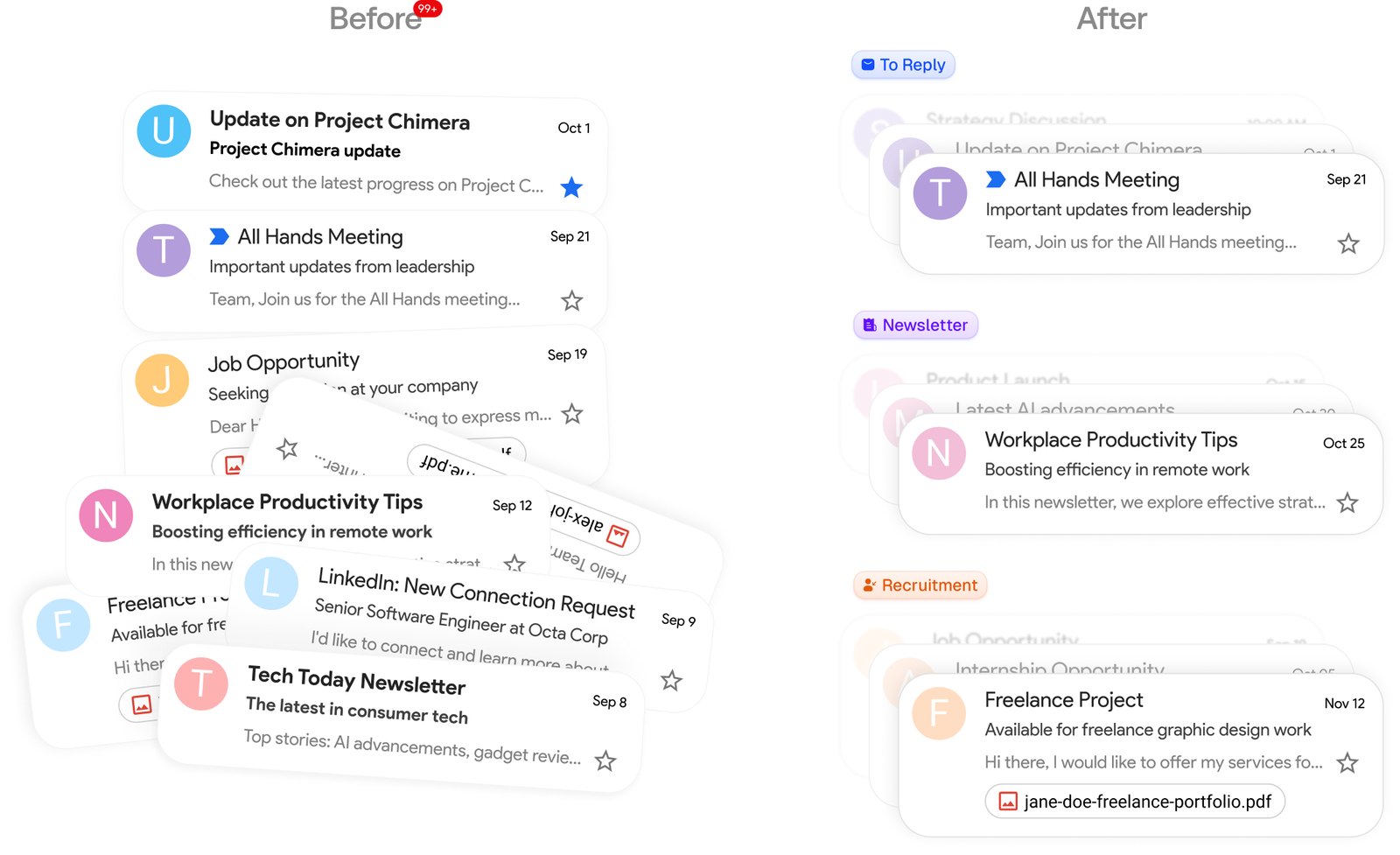
Label and organize messages using supported categories and rules.

AI Email Assistant & Inbox Automation
Inbox Zero organizes Gmail and Outlook, prepares draft replies, helps remove unwanted subscriptions and provides email analytics and workflow automation.
Professionals and teams managing busy inboxes
Email sorting, reply drafts, unsubscribe, analytics, automation
7-day trial; hosted Starter $20/user/month
Web, Desktop, iOS, Android, Supported integrations
Inbox Zero adds an AI assistant to supported Google and Microsoft email accounts. It can sort incoming messages, create reply drafts based on available context, and apply plain-language rules to routine inbox work.
Bulk unsubscribe, archiving and analytics help reduce clutter. Higher hosted tiers add integrations, knowledge-base features, meeting tools and team controls. A self-hosting option is available, with deployment, infrastructure and model costs separate from hosted subscriptions.
Here are some of the most common ways people use Inbox Zero.
Label and organize messages using supported categories and rules.
Create editable responses using available email and calendar context.
Review bulk-unsubscribe and archive workflows for unwanted mail.
Use supported blocking and routing rules to reduce unsolicited messages.
See which senders and message types contribute to inbox volume.
Describe how you want routine inbox actions to work in plain English.
Access eligible calendar, knowledge-base and app integrations for richer assistance.
Use higher-tier analytics, onboarding and administration features.
Hosted plans include a seven-day trial requiring a credit card. Monthly Starter is $20 per user, Plus $35 and Professional $50; advertised annual equivalents are $18, $28 and $42. Plus includes two email accounts per user and expanded integrations.
Cancel the trial before it ends to avoid billing. Account allowances, integrations and team features differ by tier. Self-hosting requires setup and can incur infrastructure and AI-provider costs.

AI email replies, writing style learning and inbox organization
View Tool
Jace organizes email, prepares context-aware reply drafts, labels messages and supports connected inbox workflows while leaving sending under your control.
View Tool
summri.ai turns meeting transcripts into structured minutes, decisions and action items, with review, sharing and team follow-up workflows.
View ToolInbox Zero is an AI email assistant for sorting messages, drafting replies and automating supported inbox workflows.
The product supports Gmail, Google Workspace and Microsoft Outlook accounts.
Hosted plans offer a seven-day trial requiring a card. Self-hosting is an alternative with separate setup and operating costs.
It can work in the background with your existing email client. Its own web, desktop and mobile clients are also advertised.
Draft preparation and configured automation are separate workflows. Review the rules and sending behavior you enable, and check important replies before sending.